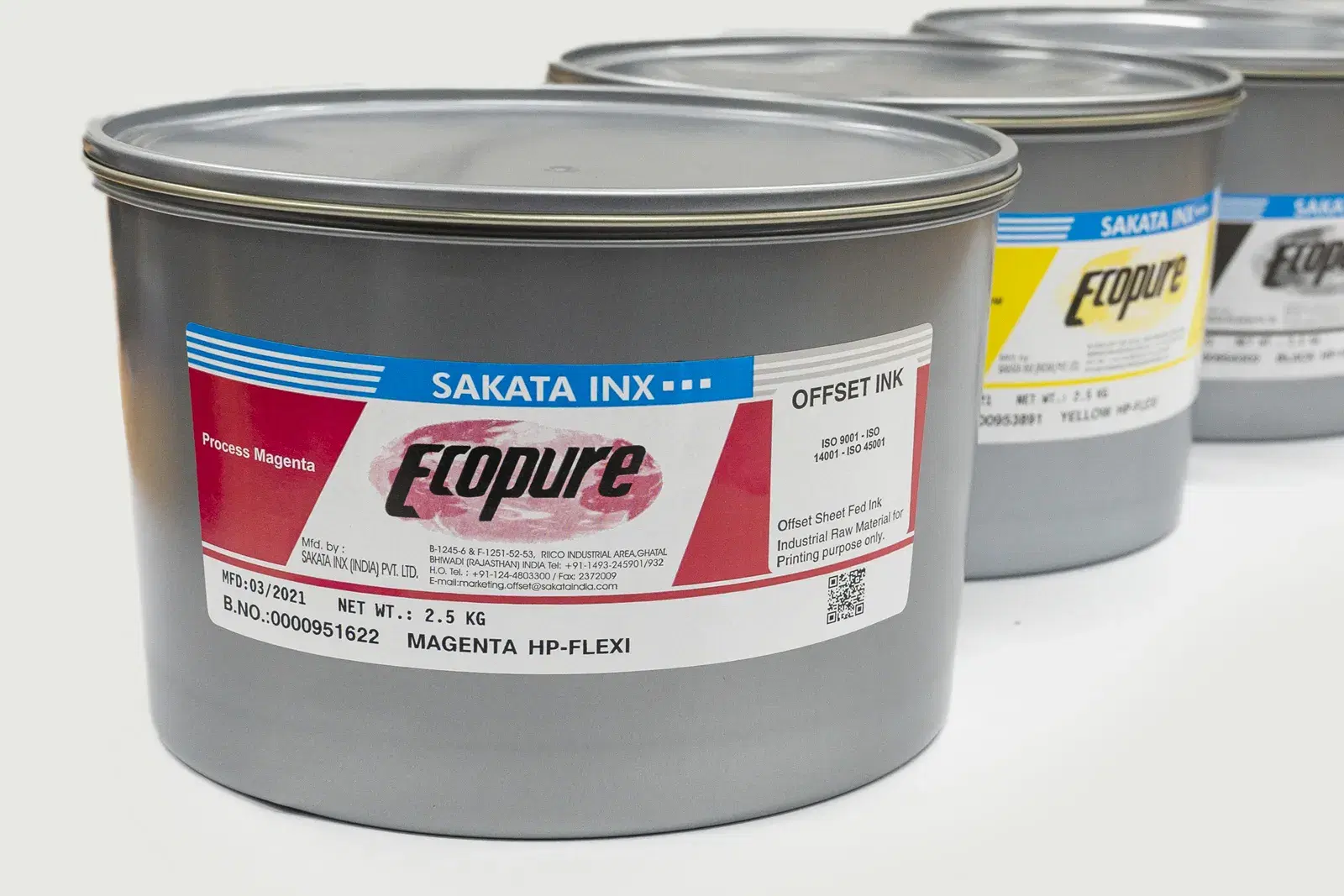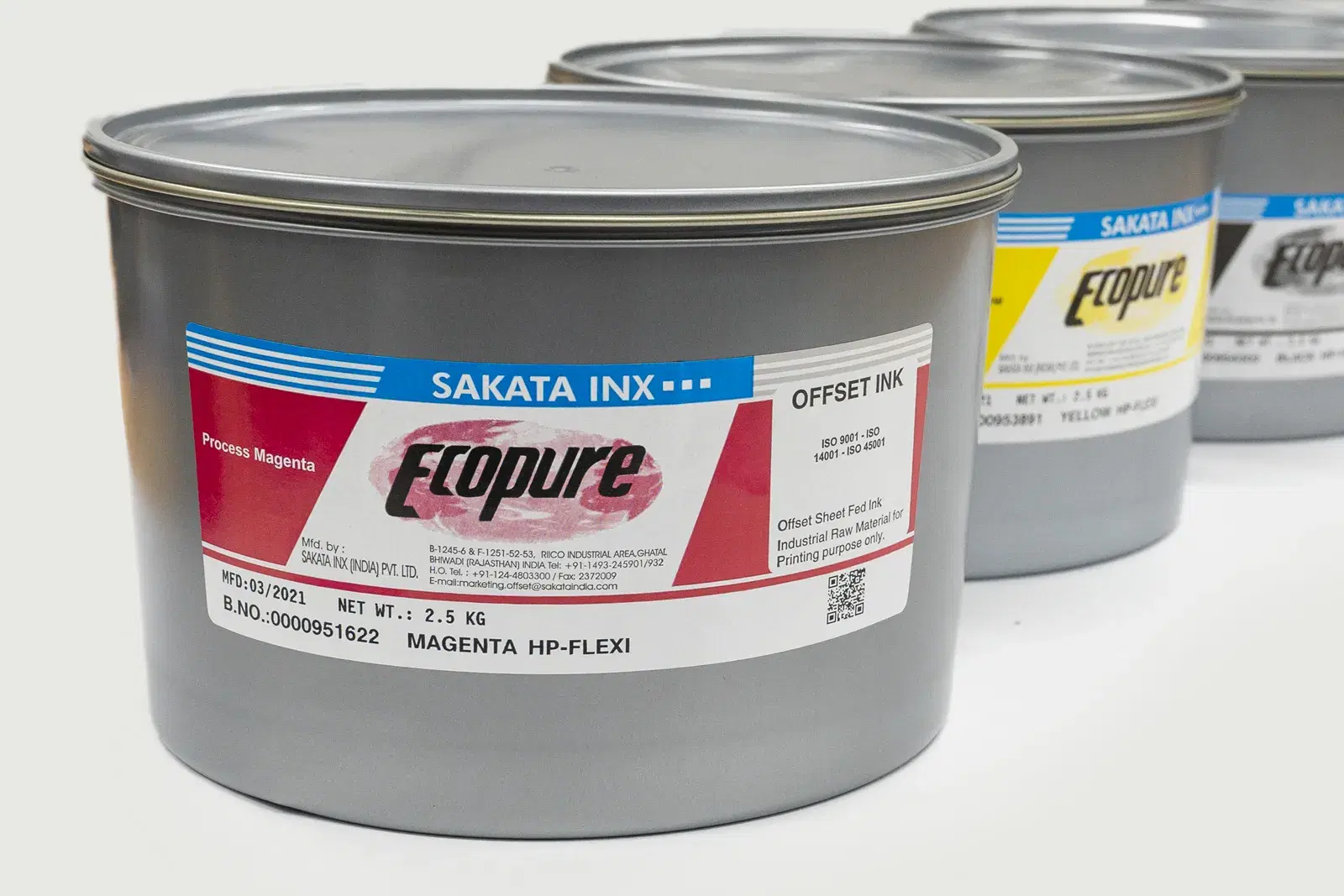
Bir matbaacı olarak şu sahneyi mutlaka yaşamışsınızdır: Müşteri onaylanan provayla eşleşmeyen renklere bakarak "Bu baskı farklı çıkmış" diyor. Ya da aynı pantone kodunu kullanan iki farklı baskı işi yan yana geldiğinde renkler birbirinden belirgin biçimde ayrışıyor. Bu sorunların büyük çoğunluğunun kökeninde tek bir eksiklik yatar: tutarlı bir ICC profil tabanlı renk yönetimi iş akışının olmaması. ICC (International Color Consortium) profilleri, farklı cihazların rengi nasıl yorumladığını standartlaştıran dijital dosyalardır. Tasarımcının monitöründen baskı makinesine, renk ölçüm cihazından müşterinin ekranına kadar her adımda tutarlı renk aktarımını mümkün kılar. SIM Baskı Malzemeleri olarak 40 yılı aşkın sektör deneyimimiz ve L-A-B tabanlı renk eşleştirme laboratuvarımızla bu konuyu sizin için kapsamlı biçimde ele alıyoruz. Profil çalışmasının mürekkep tarafı için SAKATA INX CMYK, standartlar için GRACoL/FOGRA yazımız ve malzeme sistemi için matbaa malzemeleri rehberi ile devam edebilirsiniz.
01ICC Nedir? Tarihi ve Standardizasyonu
International Color Consortium (ICC), 1993 yılında Apple, Microsoft, Adobe, Agfa, Kodak ve FOGRA dahil 12 büyük teknoloji ve baskı firmasının bir araya gelmesiyle kurulmuştur. Kuruluşun temel amacı, farklı cihazlar arasında renk aktarımını standartlaştırmaktı. O güne kadar her yazıcı üreticisi, her tarayıcı firması kendi renk uzayında çalışıyor; aynı dijital dosya farklı sistemlerde tamamen farklı renklerle çıkıyordu. ICC'nin geliştirdiği .icc/.icm uzantılı profil formatı, bir cihazın renk gamını (üretebileceği renk yelpazesini) ve bu gamı PCS (Profile Connection Space) adı verilen evrensel CIE L*a*b* renk uzayına nasıl dönüştüreceğini tanımlar. Böylece iki farklı cihaz arasında renk aktarımı yapılırken her ikisi de bu evrensel uzay üzerinden konuşur. ISO 15076-1 standardı olarak da tanınan ICC profil formatı, bugün dünya genelinde tüm büyük işletim sistemleri, tasarım uygulamaları ve baskı iş akışları tarafından desteklenmektedir.
02ICC Profil Türleri: Input, Display ve Output
ICC profiller üç temel kategoride incelenir. Input (Giriş) Profilleri: Tarayıcı ve dijital kamera gibi rengi yakalayan cihazların profillerdir. Bu profil, cihazın yakaladığı rengi L*a*b* uzayına nasıl dönüştürdüğünü tanımlar. Fotoğraf ve baskı öncesi hazırlık süreçlerinde kritik öneme sahiptir. Display (Ekran) Profilleri: Monitör, tablet ve diğer ekran cihazlarının renk profillerini tanımlar. Tasarımcının ekranında gördüğü renk ile çıktı rengi arasındaki bağı kurar. Soft proofing (ekranda baskı simülasyonu) için monitör profilinin doğru kalibre edilmesi şarttır. Output (Çıktı) Profilleri: Yazıcı, ofset baskı makinesi veya dijital baskı cihazı gibi rengi fiziksel ortama aktaran cihazların profilleridir. Ofset baskı sektöründe en kritik profil türü budur. FOGRA39, FOGRA51, GRACoL 2013 gibi standart profiller bu kategoride yer alır. CMM (Color Matching Module): Profiller arasında renk dönüşümü yapan motor. Adobe ACE, Apple ColorSync ve LittleCMS en yaygın CMM'lerdir.
03FOGRA39 ve GRACoL: Ofset Baskının Standart Profilleri
Ofset baskıda iki dominant standart profil ailesinden söz edilir. FOGRA Profilleri (Avrupa Standardı): FOGRA (Forschungsgesellschaft Druck e.V.) Almanya'da 1951'de kurulmuş bir baskı araştırma enstitüsüdür ve ISO 12647-2 standardının teknik altyapısını oluşturur. FOGRA39 (ISOcoated_v2), 2006'dan bu yana Avrupa'nın en yaygın ofset baskı profilidir. Parlak kuşe kağıtta (LWC ve kuşe kağıt) standart ofset baskı için kullanılır. Maksimum mürekkep yoğunluğu: TAC (Total Area Coverage) 330%. FOGRA51, 2015'te FOGRA47'nin yerini alan güncel standarttır ve daha geniş renk gamı ile gerçekçi kağıt simülasyonu sunar. FOGRA52 ise mat kuşe kağıt için optimize edilmiştir. GRACoL Profilleri (Kuzey Amerika Standardı): GRACoL (General Requirements for Applications in Commercial Offset Lithography), IDEAlliance tarafından geliştirilen Kuzey Amerika ofset standardıdır. GRACoL 2013 (Coated_Gracol2013) parlak kuşe kağıtta kullanılır. GRACoL ve FOGRA profillerinin temel farkı kağıt beyazlığı ve mürekkep yoğunluğu değerlerindedir: GRACoL biraz daha geniş renk gamı sunarken FOGRA Avrupa kağıt ve mürekkep koşullarını daha gerçekçi yansıtır. Türkiye'deki matbaalar büyük çoğunlukla FOGRA39 ve FOGRA51 standartlarını benimsemiştir.
ISO 12647-2 standardı, ofset baskıda mürekkep yoğunluğu toleranslarını şöyle tanımlar: CMYK süreç renklerinde Delta E (CIELAB) ≤ 5 (pratikte ≤ 3 hedeflenir), gri balans sapması ΔCh ≤ 1,5. SIM'in ozel renk üretim laboratuvarı Delta E < 1 hassasiyetini rutin olarak hedefler.
04ICC Profil Nasıl Oluşturulur? Adım Adım Süreç
Matbaanızın kendi ICC profili oluşturması, renk tutarlılığı açısından en güvenilir yoldur. Süreç şu adımlardan oluşur. Adım 1 — Makine Koşullarını Standardize Edin: Baskı öncesinde makine temizliği, blanket kontrolü, mürekkep ve su dengesi ayarı, substrat (kağıt) seçimini standart değerlerde sabitlenir. Özellikle ISO 12647-2'de tanımlanan hedef yoğunluk değerlerine (K: 1.65-1.75, C: 1.35-1.45, M: 1.45-1.55, Y: 1.30-1.40 optik yoğunluk) ulaşılması gerekir. Adım 2 — Hedef Referans Dosyasını Basın: IT8.7/4 veya ECI 2002 gibi standart renk referans dosyaları, profil oluşturma için kullanılan renkli yamalar içerir. Bu dosya, herhangi bir renk dönüşümü uygulanmadan (profil atanmadan) basılır. Adım 3 — Spektrofotometre ile Ölçüm Yapın: Basılı referans sayfası X-Rite i1Pro, Konica Minolta FD-9 veya benzeri spektrofotometre ile taranır. Her renk yaması ölçülerek XYZ ve L*a*b* değerleri kaydedilir. Adım 4 — Profil Oluşturun: i1Profiler, ColorThink Pro veya Heidelberg ProfileMaker gibi yazılımlar, ölçüm verilerini girdi olarak alarak .icc uzantılı dosyayı oluşturur. Yazılım, cihazın renk gamını ve boyalı yüzeyler arası geçiş eğrilerini matematiksel olarak modeller. Adım 5 — Profili Doğrulayın: Yeni oluşturulan profille bir test baskısı yapılır ve referans değerlerle karşılaştırılır. Delta E ortalaması 2'nin altında olmalı, maksimum Delta E 4'ü geçmemelidir.
05Soft Proof ve Hard Proof: Fark Ne Zaman Önemlidir?
Baskı provası iki temel formda gerçekleştirilir. Soft Proof (Ekran Provası): Adobe Photoshop veya InDesign'da View > Proof Colors komutuyla etkinleştirilir. Monitörün baskı makinesini simüle etmesini sağlar. Bunun için hem monitörün hem de baskı makinesinin ICC profilinin doğru tanımlanmış olması şarttır. Renk Ayarı (Color Settings) bölümünde CMYK çalışma uzayı olarak kullandığınız baskı profilini (örn. ISOcoated_v2 / FOGRA39) seçmelisiniz. Soft proof, müşteriye baskı öncesi hızlı ve düşük maliyetli renk onayı imkânı sunar, ancak monitör kalibrasyon ve ortam ışığına hassastır. Hard Proof (Fiziksel Prova): Genellikle geniş format inkjet yazıcıyla (Epson Stylus Pro, Canon iPF serisi) üretilir. Yazıcıya baskı makinesinin ICC profili yüklenerek o makinenin renk çıktısı simüle edilir. ISO 12647-7 standardına göre sertifikalı fiziksel prova, Delta E toleransları belgelenerek üretilir ve müşteri imzası için hukuki geçerlilik taşır. Hard proof, marka renkleri ve spot renkler için soft proof'a kıyasla çok daha güvenilirdir.
06Renk Yönetiminin Matbaa Kârlılığına Etkisi
ICC profil tabanlı renk yönetimi yalnızca teknik bir gereklilik değil, aynı zamanda güçlü bir maliyet optimizasyon aracıdır. Yapılan sektörel araştırmalar, standardize edilmiş renk iş akışının matbaada şu sonuçları verdiğini ortaya koymaktadır: Fire oranı %15-30 azalma (yeniden baskı ve düzeltme işlerinin azalmasıyla), mürekkep tüketiminde %8-12 tasarruf (deneme-yanılma baskılarının eliminasyonu), müşteri şikâyetlerinde %40-60 azalma, iş devir hızında %20-35 artış. Marka rengi tutarlılığı ise özellikle kurumsal müşteriler için kritik bir fark yaratır. Uluslararası bir markanın ambalaj baskısında İstanbul, Hamburg ve Şangay'daki matbaalar aynı ICC profili ve Delta E toleranslarını kullandığında renk tutarlılığı %95 oranında sağlanabilir. SIM Baskı Malzemeleri bu tutarlılığı SAKATA INX mürekkepleri, L-A-B tabanlı renk formülasyon sistemi ve spektrofotometre ölçüm altyapısıyla destekler.
07SIM'in Renk Eşleştirme Laboratuvarı: Delta E < 1 Hassasiyet
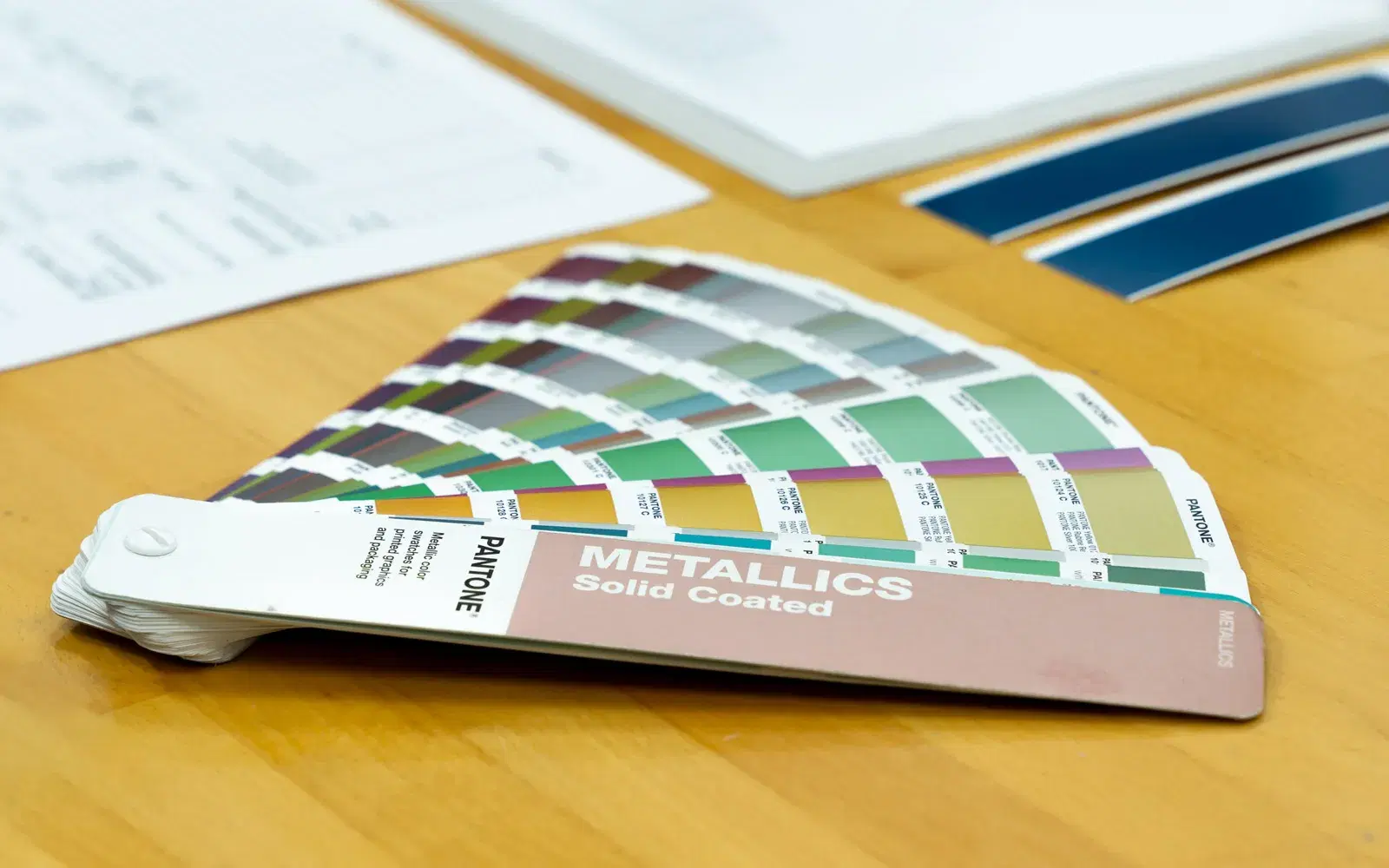
1983'ten bu yana faaliyet gösteren SIM Baskı Malzemeleri'nin renk laboratuvarı, günümüzde L-A-B dijital renk eşleştirme sistemini tam kapasiteyle kullanmaktadır. Her renk talebi için spektrofotometre ile ölçülen referans değerleri, 7/24 hizmet veren üretim laboratuvarımızda formüle edilir. Aylık 15.000 kg üretim kapasitemizle standart ve özel renklerde aynı gün veya ertesi gün teslimat sağlıyoruz. Delta E < 1 hassasiyet hedefimiz, ISO 12647-2'nin toleranslarının çok ötesinde bir hassasiyet düzeyini ifade eder. Bu, insan gözünün renk farkını ancak zorlu karşılaştırma koşullarında algılayabileceği bir hassasiyet seviyesidir (Delta E 1-2 arası fark "professional color match" olarak tanımlanır, Delta E < 1 ise "imperceptible difference" yani algılanamaz fark anlamına gelir). SAKATA INX CMYK mürekkeplerinin geniş ve istikrarlı renk gamı, Zeller+Gmelin UV ofset sistemlerinin yüksek renk yoğunluğu ve SCHLENK metalik pigmentlerin tutarlı parlaklık değerleri, bu hassasiyeti destekleyen tedarik zincirinin bileşenleridir.
08Sık Sorulan Sorular (SSS)
ICC profil olmadan ofset baskı yapılabilir mi? Teknik olarak evet, ancak tutarsız renk sonuçları kaçınılmazdır. ICC profil kullanmayan matbaalar, her iş için deneme-yanılma yöntemiyle mürekkep ayarı yapar; bu hem zaman hem de malzeme kaybıdır. Özellikle marka rengi tutarlılığı gerektiren işlerde profil kullanımı neredeyse zorunludur.
FOGRA39 mi FOGRA51 mi kullanmalıyım? Parlak kuşe kağıtta yeni kurulum yapıyorsanız FOGRA51 (ISOcoated_v2_300_eci) tercih edilir — daha güncel ve geniş gam sunar. Ancak müşterileriniz veya iş ortaklarınız hâlâ FOGRA39 kullanıyorsa geçiş döneminde uyumluluk sorunları yaşanabilir. Hangisini kullandığınızı her zaman müşterinizle paylaşın.
Delta E değeri ne kadar olmalıdır? ISO 12647-2 standardında ofset baskı için ortalama Delta E (CMC 1:1) ≤ 3 kabul edilir. Ancak premium ve marka baskılarında Delta E ≤ 2 hedeflenmeli; kritik spot renkler için Delta E < 1 idealdir. SIM laboratuvarı özel renk üretiminde Delta E < 1'i rutin hedef olarak almaktadır.
Mürekkep markası ICC profil doğruluğunu etkiler mi? Kesinlikle. Profil oluşturulduğu mürekkep marka ve serisine göre geçerlidir. Mürekkep değiştirildiğinde yeni profil oluşturulması önerilir. SAKATA INX CMYK serisi gibi geniş ve istikrarlı renk gamı sunan mürekkepler, profil tabanlı renk yönetiminde en tutarlı sonuçları verir.
Spektrofotometre yerine densitometre kullanabilir miyim? Densitometre yalnızca optik yoğunluğu ölçer ve ICC profil oluşturma için yetersizdir. ICC profil sürecinde mutlaka spektrofotometre (XYZ veya L*a*b* ölçümü yapabilen) kullanılmalıdır. Densitometre hâlâ üretim izleme ve mürekkep dengesini kontrol etmek için yararlıdır.
Galeri
Sıkça Sorulan Sorular
- ICC profil nedir?
- ICC profil, farklı cihazlar arasında renk tutarlılığını sağlayan standart bir renk yönetim dosyasıdır. Tasarımcının monitöründen ofset baskı makinesine kadar her adımda renklerin doğru aktarılmasını mümkün kılar.
- FOGRA39 ve FOGRA51 arasındaki fark nedir?
- FOGRA39 (ISOcoated_v2), 2006'dan bu yana yaygın kullanılan Avrupa ofset standardıdır. FOGRA51, 2015'te yayımlanan güncel standarttır; daha geniş renk gamı ve gelişmiş kağıt simülasyonu sunar. Yeni kurulumlar için FOGRA51 tercih edilir.
- Delta E değeri ofset baskıda ne kadar olmalıdır?
- ISO 12647-2 standardı ortalama Delta E ≤ 3 kabul eder. Premium ve marka baskılarında Delta E ≤ 2 hedeflenmeli; kritik spot renkler için Delta E < 1 idealdir. SIM laboratuvarı özel renk üretiminde Delta E < 1'i rutin hedef almaktadır.
İlgili Ürünler
SIM Baskı Malzemeleri
Projeniz İçin Özel Fiyat Alın
Geniş ürün yelpazemiz ve özel renk üretimimiz hakkında bilgi almak için hemen arayın.